Features

I absolutely love that Infusionsoft tracks my customers’ buying history and actions. This helps me fine-tune my marketing so that it’s super-targeted.

Laura Roeder

Small Business CRM

Through a powerful CRM, or customer relationship management, system small businesses can track all customer demographics as well as behavior and preferences. Infusionsoft allows you to leverage the data collected in your small business CRM to market more effectively.

Compare CRM Features

Infusionsoft’s small business CRM is a dream come true for small business owners attempting to keep track of all prospects and customers who are in different stages of the customer lifecycle. A good CRM solution offers the ability to automatically segment a customer database based on activity, demographics or preferences.

CRM

Infusionsoft's CRM improves the efficiency of your sales team by centralizing your contact information in one place, eliminating redundant sales activities and making it easy to find and work hot leads. Combined with our robust marketing and e-commerce tools, our CRM will help you sell more by automating sales workflows and nurturing leads until they are ready to buy.

CRM, E-Commerce, Email Marketing and Automation

Simplify Sales Activities

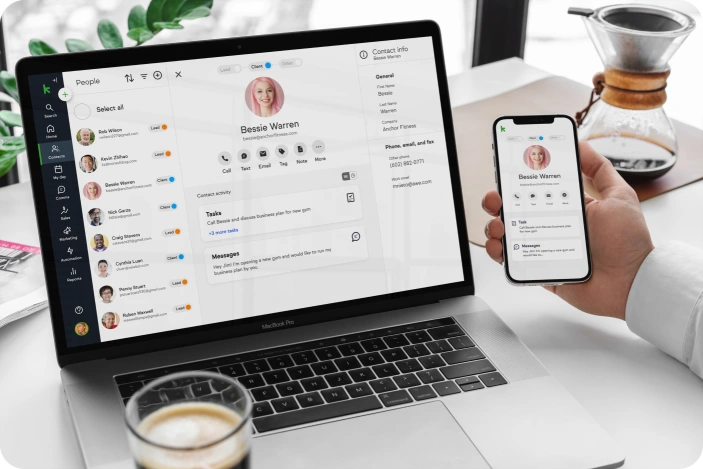
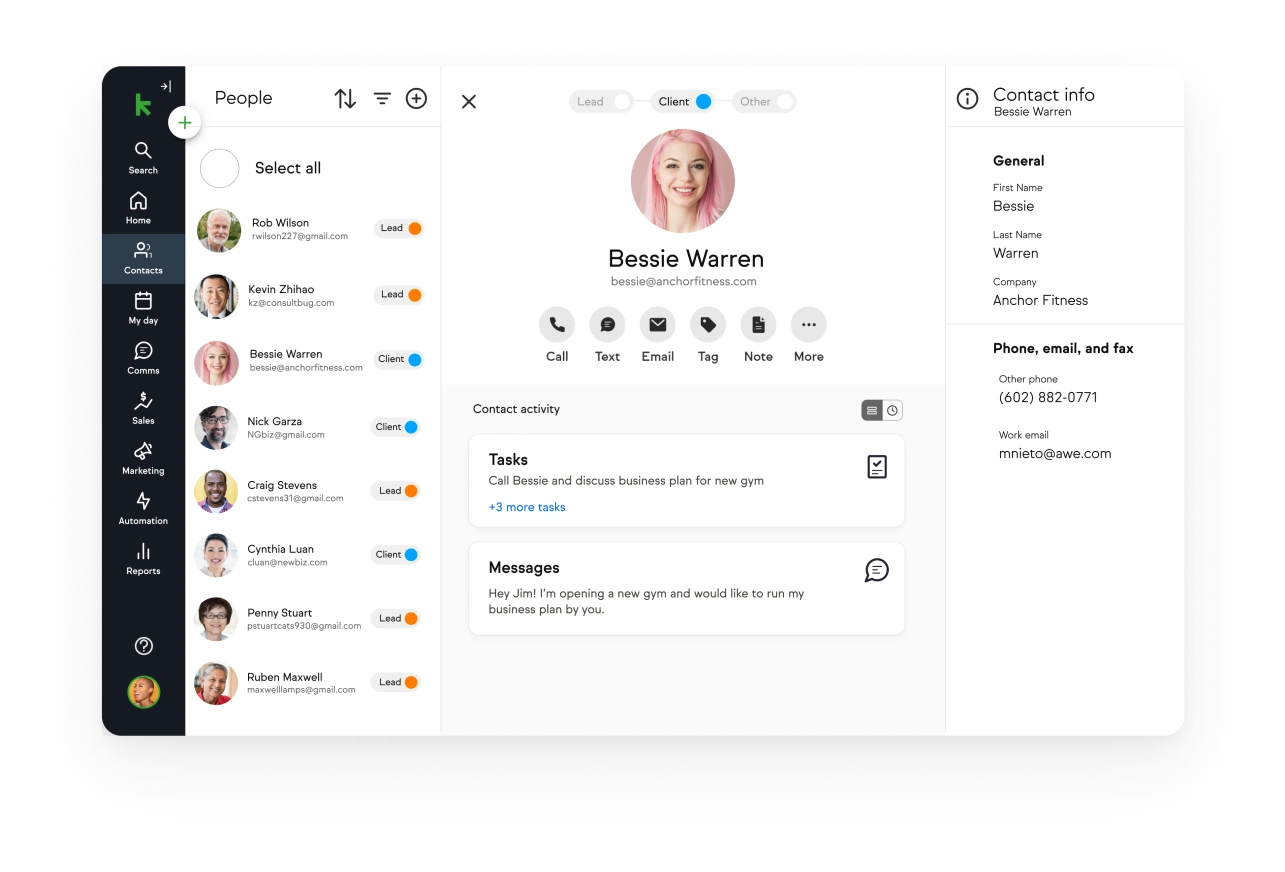
Infusionsoft's Interactive List View and Inline Editing features make it easy to view and update contact information and quickly work through a list of leads. Trigger follow-up actions with a single click, such as adding a note, scheduling an appointment, sending an email and starting a campaign.

Simplify Sales Activities

View contact and opportunity information at a glance.

Simplify Sales Activities

Simplify Sales Activities

See note history, tags, tasks, appointments and follow-up sequences with a single click.

Simplify Sales Activities

Simplify Sales Activities

Trigger follow-up actions with a single click, including adding a note, adding a tag, scheduling a task, starting a follow-up sequence and sending an email.

Simplify Sales Activities

Simplify Sales Activities

Update contact information on the fly using the Inline Editor.

Simplify Sales Activities

Qualify and Distribute Leads

Infusionsoft helps you increase sales by identifying the right time to connect with hot leads. Place intelligent motion sensors in your marketing—such as Web forms, emails and online shopping carts—which can automatically assign leads and schedule follow-up tasks, ensuring no lead will slip through the cracks.

Qualify and Distribute Leads

Place motion sensors in your marketing materials that detect when leads are ready to engage with a sales person.

Qualify and Distribute Leads

Assign leads to a specific sales person via round robin or through smart rules based on lead source, territory and more.

Qualify and Distribute Leads

Trigger follow-up actions such as assigning the lead, scheduling a call and more.

Automate Sales Tasks

Automate common sales tasks to increase efficiency and keep your team focused on selling. Your team can create bundles of common sales tasks that can be triggered at the click of a button. Plus, they can easily send messages targeted to a prospect's level of interest and engagement.

Automate Sales Tasks

Bundle common sales tasks into an action set that can be triggered with one click.

Automate Sales Tasks

Create actions that deploy automatically when you move a lead into a new sales stage.

View Sales and Conversion Reports

Infusionsoft provides numerous sales reports to analyze conversion rates, find bottlenecks in the sales process, track progress against sales goals, measure performance and more. Post reports you reference most on your report dashboard for an easy at-a-glance view.

View Sales and Conversion Reports

Analyze conversion rates, view your pipeline, measure performance and more.

View Sales Conversion Reports

Add common reports to your homepage dashboard.

Manage Opportunities and Pipelines

Infusionsoft's opportunity management gives your team tools to standardize sales processes, automate follow-up, monitor performance and forecast revenue. Our tools enable your sales team to more efficiently manage the sales process from end to end.

Manage Opportunities and Pipelines

View and manage your pipeline of sales opportunities to maximize sales.

Manage Opportunities and Pipelines

Manage potential deals from a central location. Add notes, schedule tasks, estimate close dates, forecast revenue and more.

Capture Leads with Web Forms

Infusionsoft's Drag & Drop Web Form Builder allows you to design and publish attractive forms in minutes. Post the form code on your website or use our hosting feature to publish your form instantly. You can even easily make changes after it's live with real-time updating.

Capture Leads with Web Forms

Drag and drop snippets to create attractive Web forms.

Capture Leads with Web Forms

Trigger actions when someone submits your form.

Capture Leads with Web Forms

Publish your Web form any way you'd like.

Segment Customers

With Infusionsoft, you can add tags, or labels, to contact records when they interact with you. Combine simple search criteria like company size or customer location with these enhanced tags and you've got ultra-targeted marketing and sales capabilities.

Segment Customers

Apply tags to a contact record when a person fills out a form, clicks a link and more.

Segment Customers

Search for contacts with specific tags or combinations of tags.

Segment Customers

View all the tags that have been applied to a contact record.

Manage Your Calendar and Tasks

Use Infusionsoft's calendaring and task management tools to stay organized by tracking what needs to get done, who needs to do it and when it's due. Create appointments and trigger reminders when important events are approaching.

Manage Your Calendar and Tasks

View your calendar.

Import and Manage Data

Easily get your data into Infusionsoft from any contact management, CRM or CSV file or use our import wizards to import directly from AWeber, Constant Contact, iContact, 1ShoppingCart and Outlook. Once your data is moved over, we help you keep it clean with our duplicates management tool.

Import and Manage Data

Import contacts, companies, products, subscriptions and more.

Import Manage Data

Import data from any contact management, CRM or CSV file or use our import wizards to import directly from AWeber, Constant Contact, iContact, 1ShoppingCart and Outlook.

Import and Manage Data

Use our data management tools to find and merge duplicate records.

Login to Your Application

.infusionsoft.com